
How to install
The Grenzwandler app offers interactive, location-specific guided tours along the Green Belt. The app is free and can be downloaded for Apple and Android devices. The web version also includes accessibility options.
Don’t forget your headphones for a better audio experience.
Questions or problems? Drop us a line: [email protected]
App guide — step by step
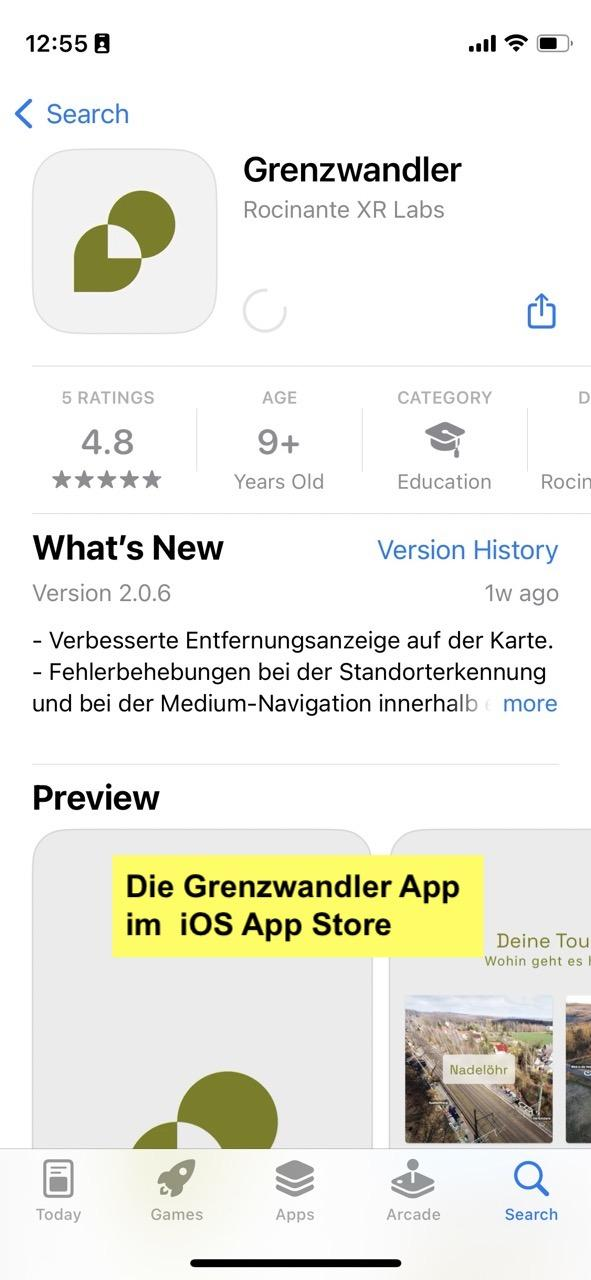
1 Download the app
iOS: Open the App Store and search for
"grenzwandler.app". Make sure your App Store is set to Germany
.
Android: Open the Google Play Store and search for
"grenzwandler.app". Tap "Install".
Alternatively: Visit
www.grenzwandler.app/install via your mobile browser.
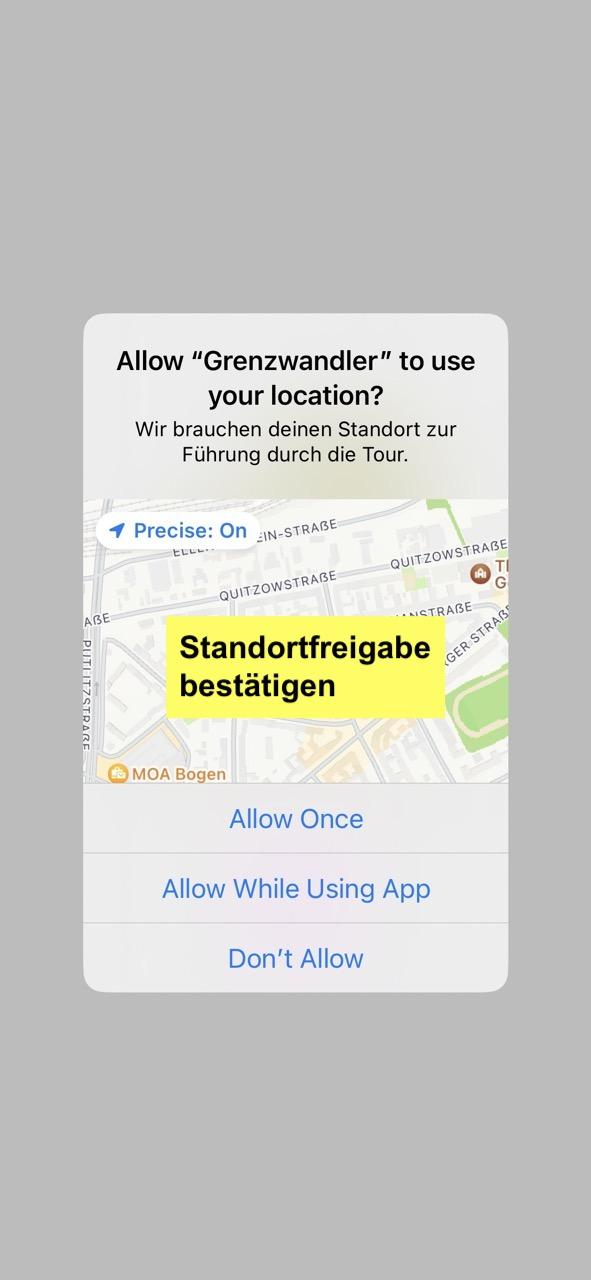
2 Confirm location sharing Confirm
When you first launch the app, it will ask for your location. Tap “Allow while using” — the app needs your location to play the tour content at the correct location.
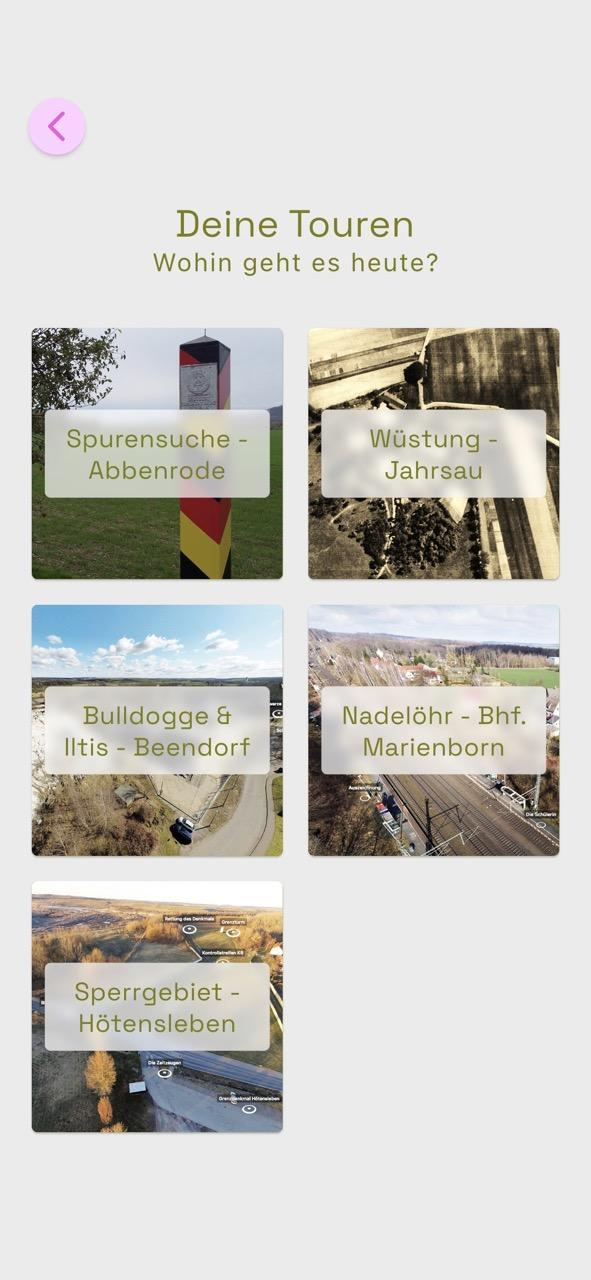
3 Select a tour
After the start screen, tap the purple circle icon. Select one of the available tours. You will see a brief description, the number of stops, the estimated duration and distance, and a map preview.
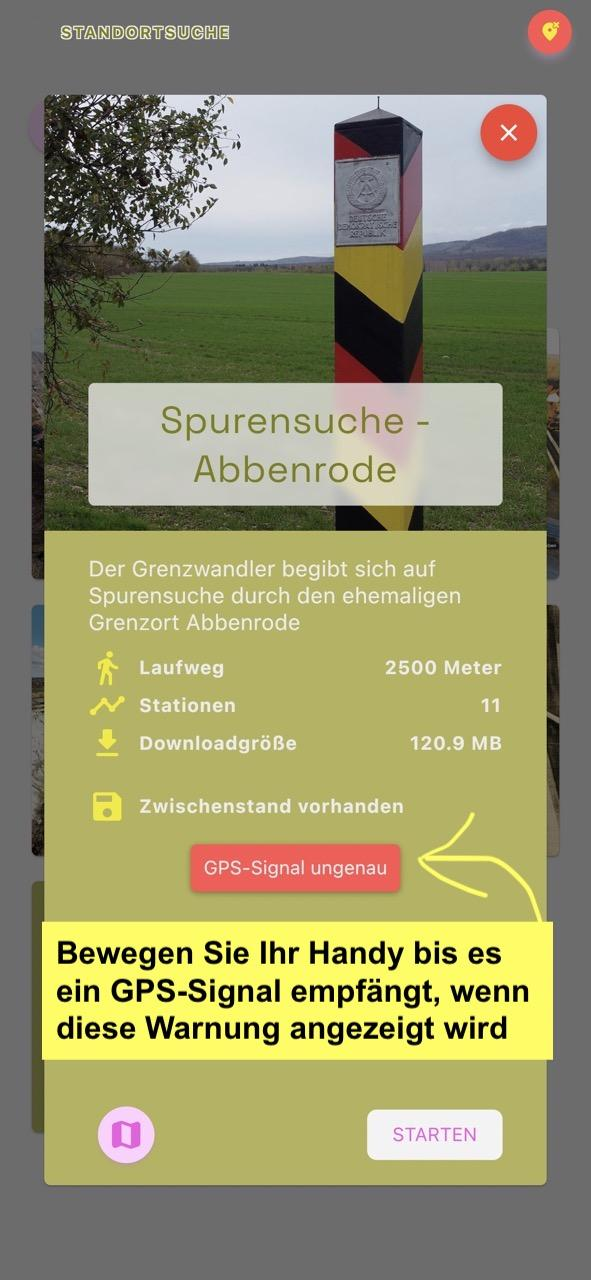
4 Download tour data & start
Tap the “Download” button at the bottom right
to download the content — ideally via Wi-Fi beforehand.
Once downloaded, the
button will change to “Start”. Tap “Start” as soon as you are at the starting point
of the tour and a GPS signal is available.
5 Confirm introduction & get going
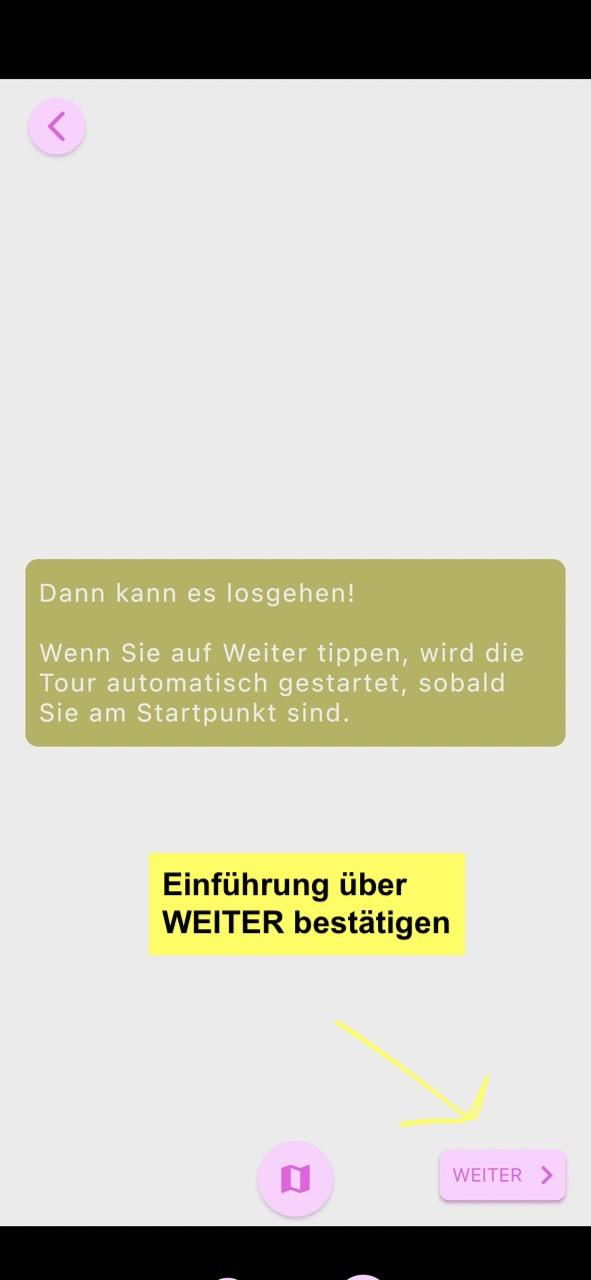
After a brief three-part introduction, the tour begins automatically when your smartphone is at the starting point. Confirm the introduction by tapping the “NEXT” button.
6 Stops on the map
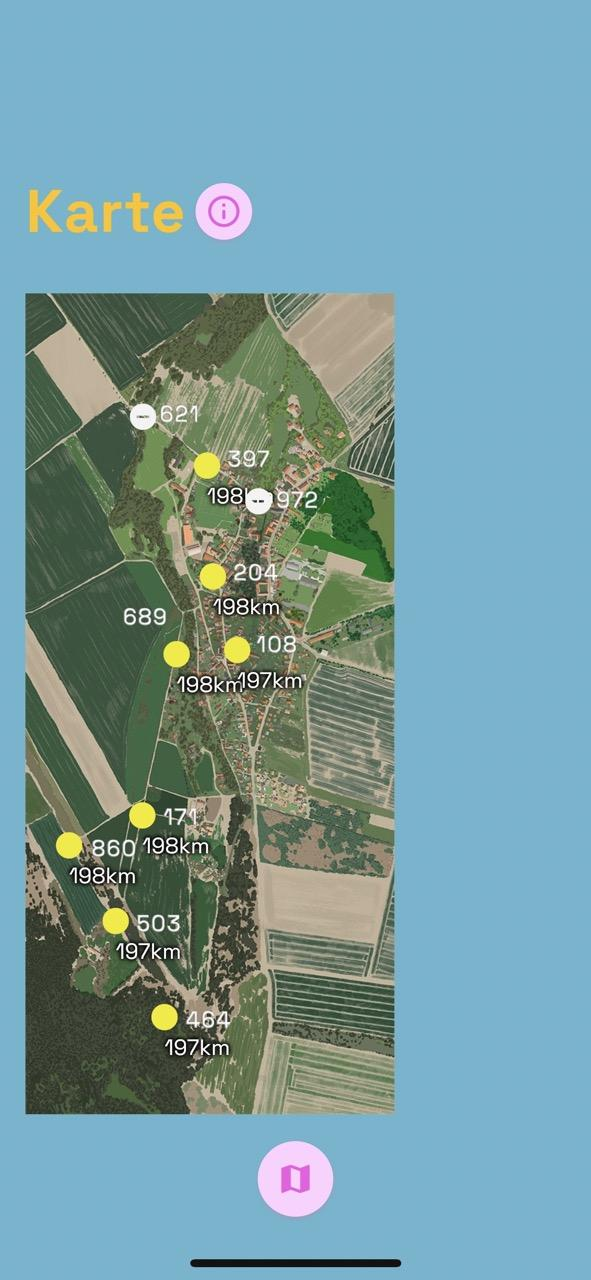
On the map, you can see all available stations as well as your own distance to each point. Next to each station is a three-digit code — you can use this to access individual stations manually if the GPS signal is ever insufficient.
7 End or repeat the tour
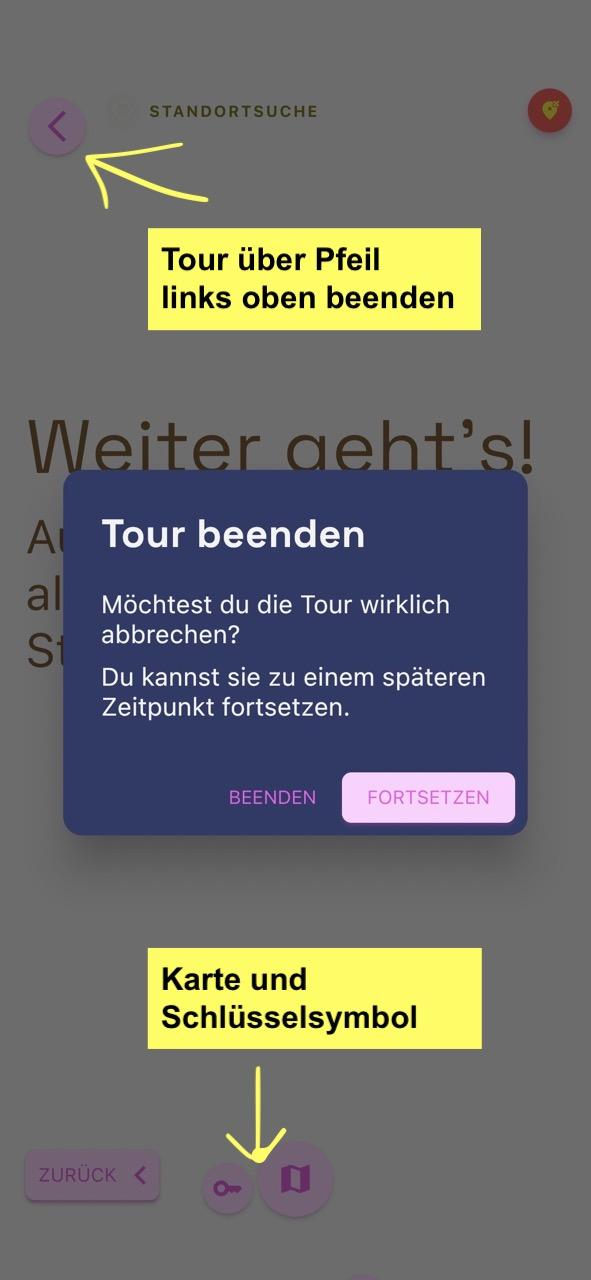
Each event can only be played once. To experience an event again,
exit the tour using the arrow in the top left-hand corner or close the
app. Then select the same tour again and restart it.
Using the
map and key icon at the bottom, you can enter a station’s numerical code
to access it directly.
8 Discover interactions
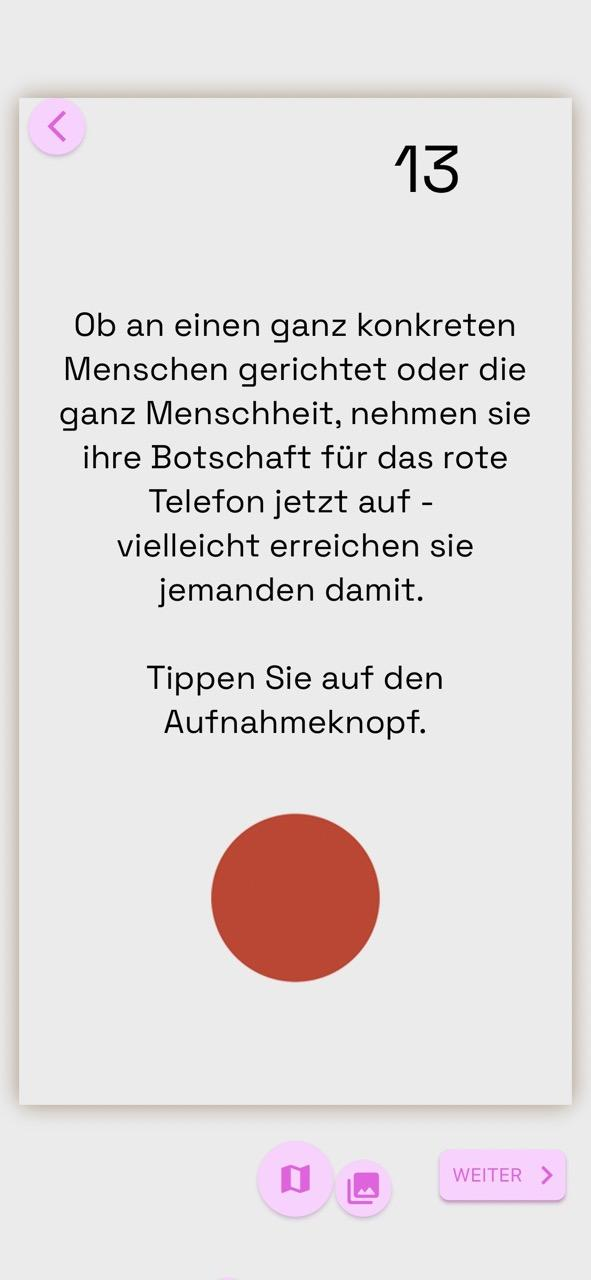
Some stations feature interactive elements — for example, the red telephone, which you can use to record a message. Simply tap the record button and follow the instructions.
Impressions from the app:
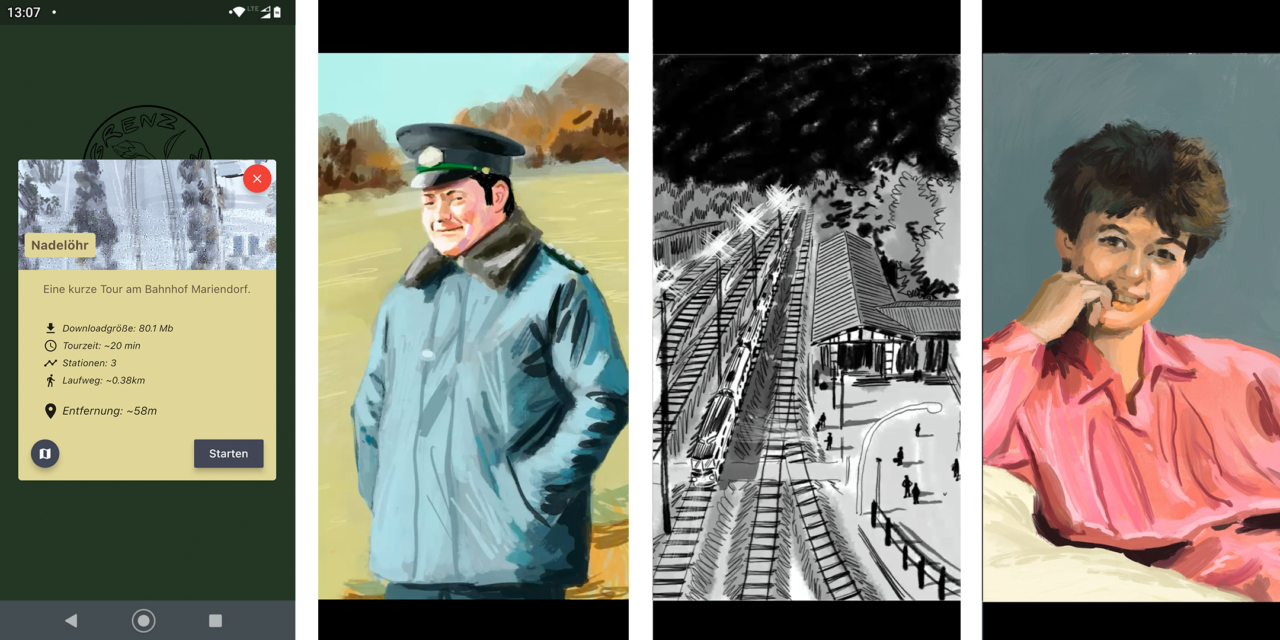
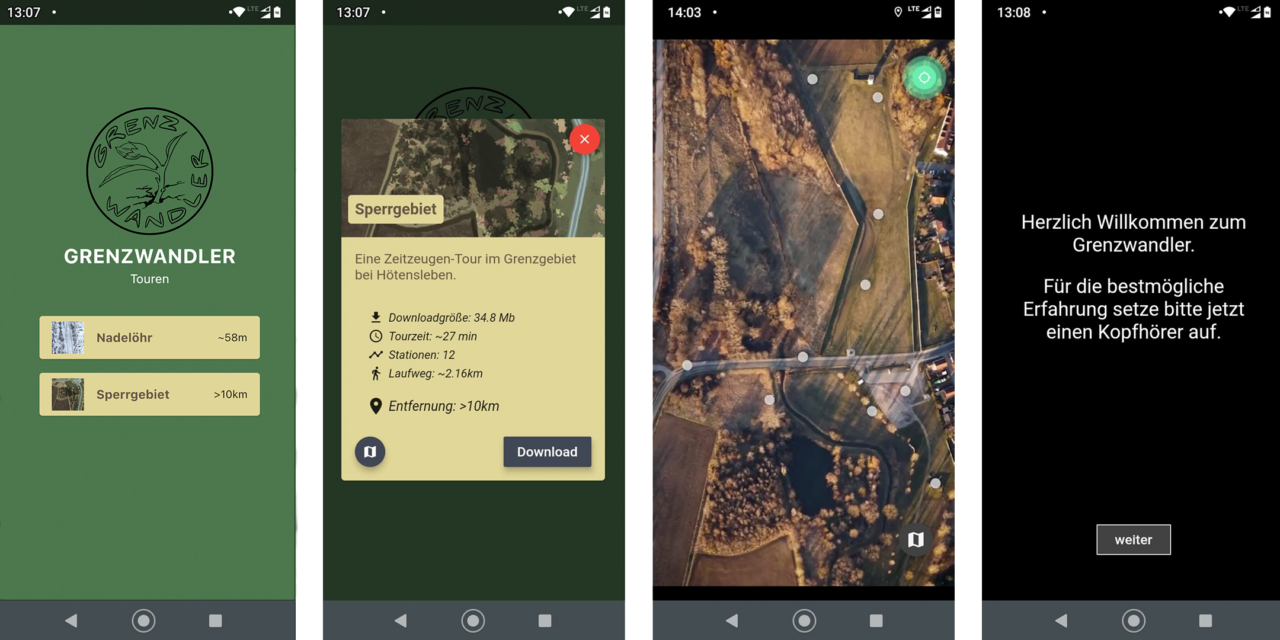
We are constantly striving to improve the Grenzwandler . Do you have about 3–5 minutes to share your thoughts with us?